Less terminal. More conversation.
HerdrChat turns the Claude Code and Codex agents running on your computer into chats on your iPhone and iPad. Read what each one did, answer the one that is stuck, and put the phone back in your pocket.

Free for iPhone and iPad. A built-in demo lets you look around before you connect anything.
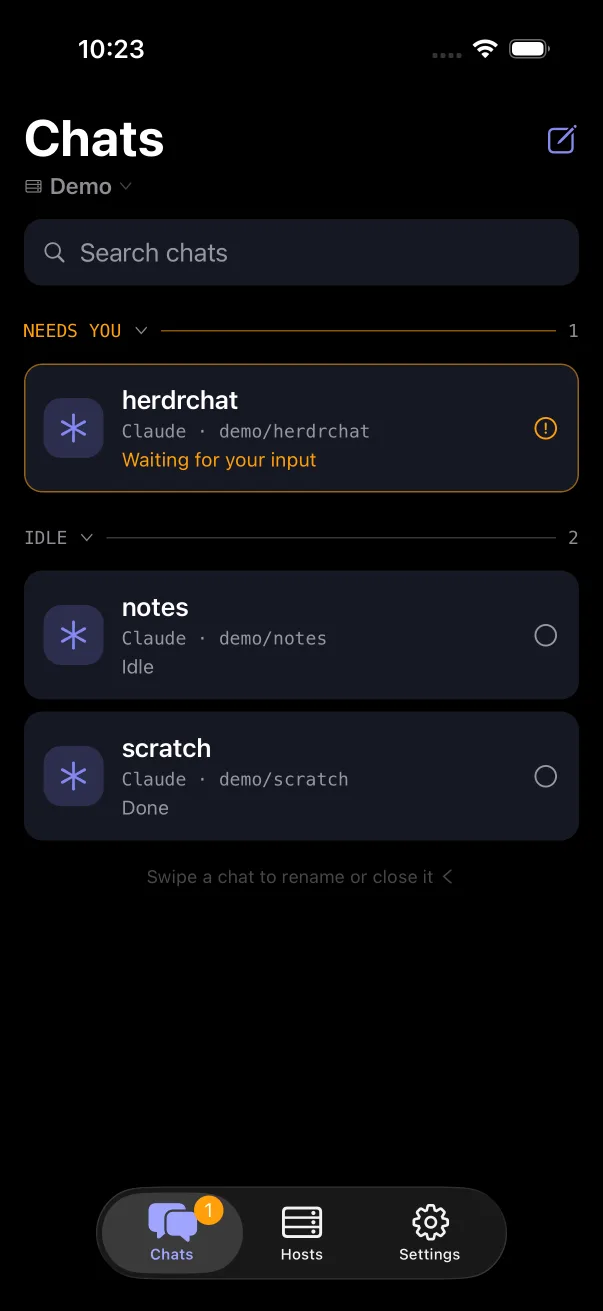
Open it, and the agent that needs you is on top.
Every herdr workspace on your machine shows up as a chat, grouped by what it is doing. One glance tells you whether anything is waiting on you, and your history is all there, including the replies you started at your desk.
- Needs you
- Blocked on a question or a permission. It waits at the top, and your phone can buzz when it happens.
- Working
- Busy on its task. Open it and read along as the transcript grows.
- Idle
- Done, or waiting for the next thing to do. Send it one from wherever you are.
Bubbles, not scrollback.
HerdrChat reads each agent's own transcript files on your machine instead of scraping the terminal. What you get is the conversation: clean messages, code blocks and tables, with the tool activity folded out of the way.
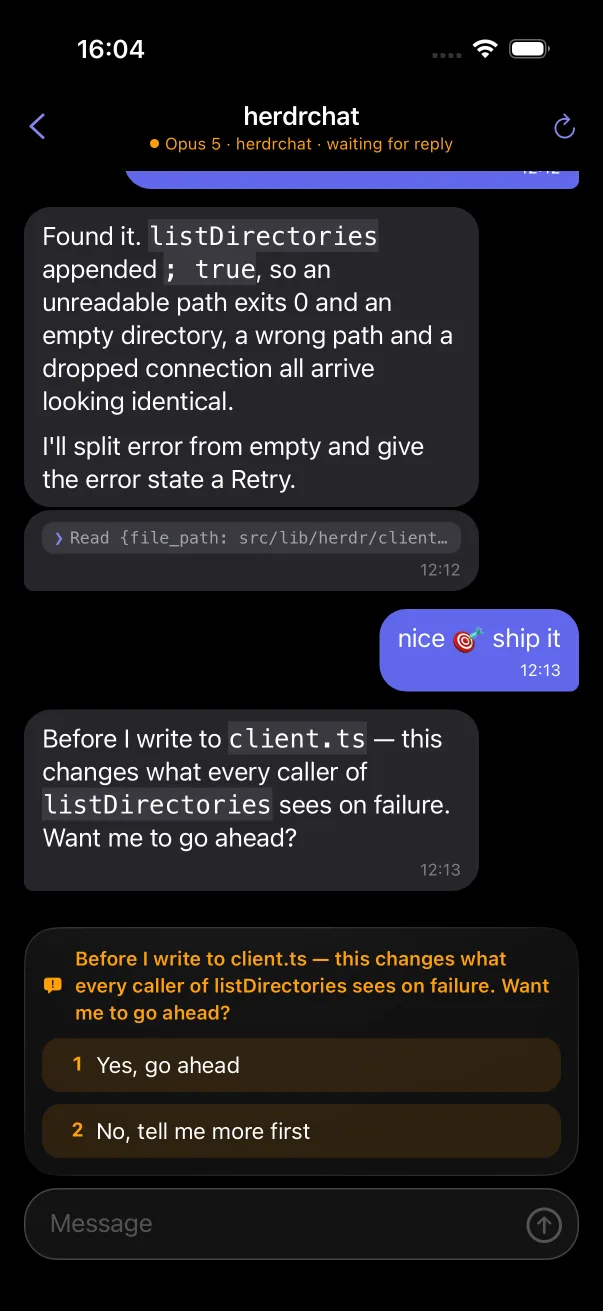
- 1Model, folder and state live in the header.
- 2A tool call folds into a single line.
- 3What you type goes into the real session.
- 4A question arrives with its answers as buttons.
On iPad, the list stays beside the conversation.
Keep the whole herd in the sidebar and one agent open beside it, on the couch or on a stand next to your keyboard.
api
Codex · api · working
Today 09:40
Today 11:02
a41c9e2 moved the rank filter after
the join, so every query now scores the full table:
const rows = await db.search(q)
  // was: .where(rank > 0.2) before the join
  .join('docs')
  .where('rank', '>', 0.2)
| Query | Before | Now |
|---|---|---|
| short | 41 ms | 88 ms |
| long | 63 ms | 131 ms |
Your phone, your computer, and nothing in between.
HerdrChat connects straight to your machine over SSH, usually across your own Tailscale network. There is no HerdrChat account and no relay, so your code and your conversations never pass through us. The privacy policy spells out the rest.
herdrclaudecodex
- No account
- There is nothing to sign up for. Add a host and you are in.
- Direct
- The connection runs from your phone to your computer. No server of ours sits in the path; only notifications, if you turn them on, pass through a relay that keeps nothing.
- Keys in the Keychain
- Your SSH key or password stays in the iOS Keychain, never in the app's database and never off the device.
- Host keys pinned
- You check the fingerprint the first time you connect. After that, a changed key stops the connection.
- Alerts from your own host
- Optional. A small watcher on your computer pushes straight to Apple with your own key.
- Open source
- Apache-2.0. You can read every line that talks to your machine.
Running in three steps.
You need herdr and Claude Code or Codex on a computer your phone can reach over SSH.
-
1
Prepare your computer
Install herdr's integration for your agent, so each chat can find its own session.
$ herdr integration install claudeUsing Codex? Open its chat in the app and choose Install it on the host.
-
2
Add it in HerdrChat
Under Hosts, enter the address, your SSH user and a key or password. Test the connection and check the fingerprint.
host 100.64.0.12 user you
-
3
Open a chat
Pick a workspace under Chats. From there it is a conversation: read it, answer it, send the next task.
Chats › herdrchat
Just looking? The app ships with a demo host, so you can try every screen before connecting anything. Read the full setup guide
Questions
Does my code go through your servers?
No. There are no HerdrChat servers. The app opens an SSH connection from your phone to your computer and reads the agent's transcript there. Nothing is copied anywhere else.
Can I try it before setting anything up?
Yes. The app ships with a demo host that behaves like a real one, with chats that need you, chats that are idle and answers you can tap. It is what you see before you add a host, and it stays under Hosts after.
Do I need Tailscale?
No. Any network where your phone can reach your computer over SSH works. Tailscale is simply the easiest way to do that from anywhere without opening SSH to the internet.
Which agents does it work with?
Claude Code and Codex, running inside herdr workspaces. Each workspace is one chat.
Can I get a notification when an agent needs me?
Yes, if you want it. A small watcher on your computer sends the push straight to Apple with your own key, so no service of ours is involved. The setup guide walks through it.
What does it cost?
Nothing. HerdrChat is free on the App Store and open source under the Apache License 2.0.
Is there an Android version?
Not yet. The Android build compiles, but it has not been tested on a device and there is no release. Follow the issues for progress.